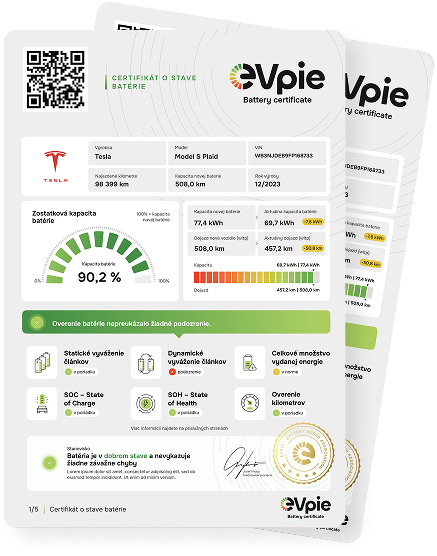

How to test your electric car battery
Follow our simple step-by-step guide to correctly connect the EVpie OBD2 adapter with your mobile app and run an independent test.
Where to get the app?
Our intuitive app is available for free for both iOS and Android devices. You can find it in the Google Play and App Store under the name EVpie.
 Google Play
What is EVP-1?
You received the adapter from us with your first order. It is a premium low-energy Bluetooth hardware that communicates wirelessly directly with your smartphone without the need for complex setup.
Where to plug in the Bluetooth adapter?
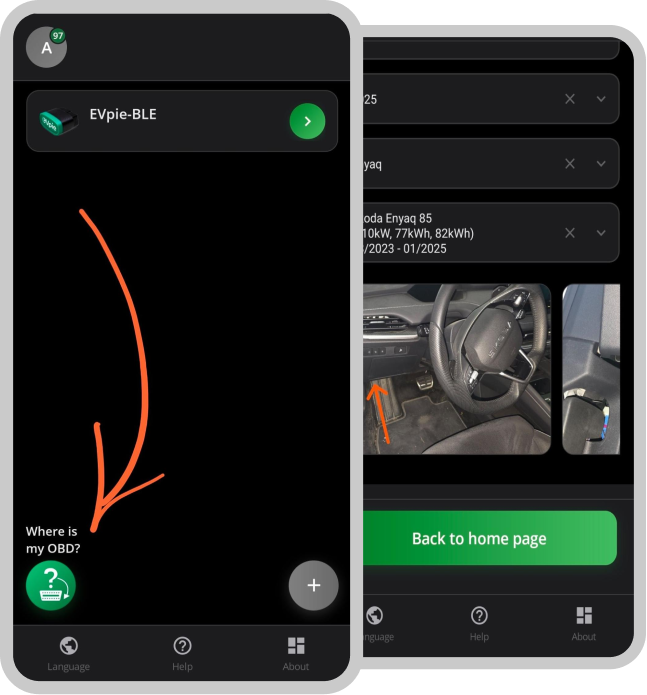
The app includes an illustrated guide on where to find the OBD2 port in your vehicle.
Do I need a cable adapter?
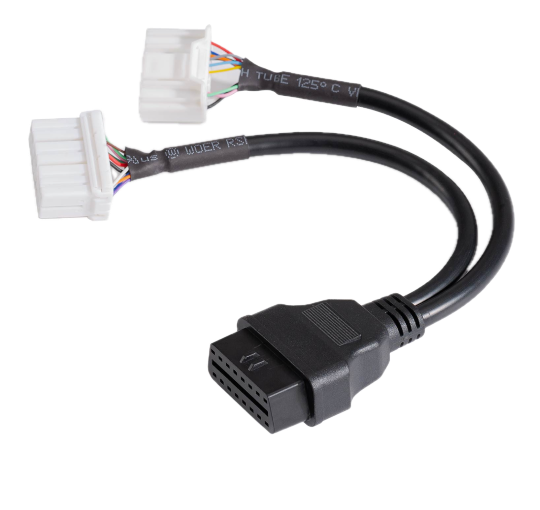
You only need an OBD2 adapter for the onboard wiring in Tesla vehicles. You can find a set of cable adapters for all Tesla vehicles in our e-shop.
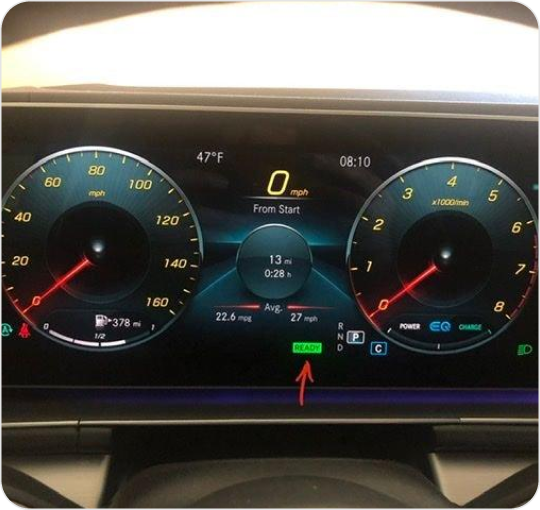
Turning on the ignition
Without this step, communication with the vehicle is not possible. The ignition is correctly turned on if the green READY sign is lit on the dashboard.
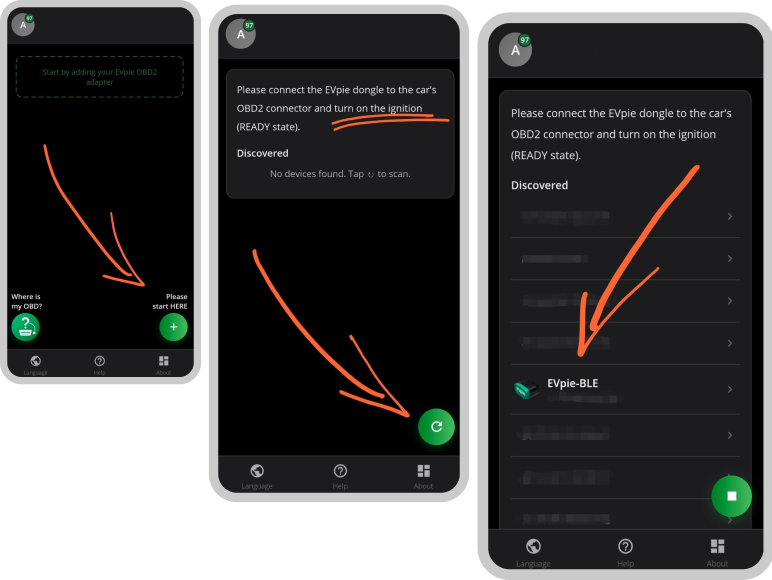
Pairing the phone with the BT adapter
In the app, select "add device". Click the "scan devices" button. Wait until the system finds the adapter labeled EVpie-BLE, click on it, and confirm secure pairing.
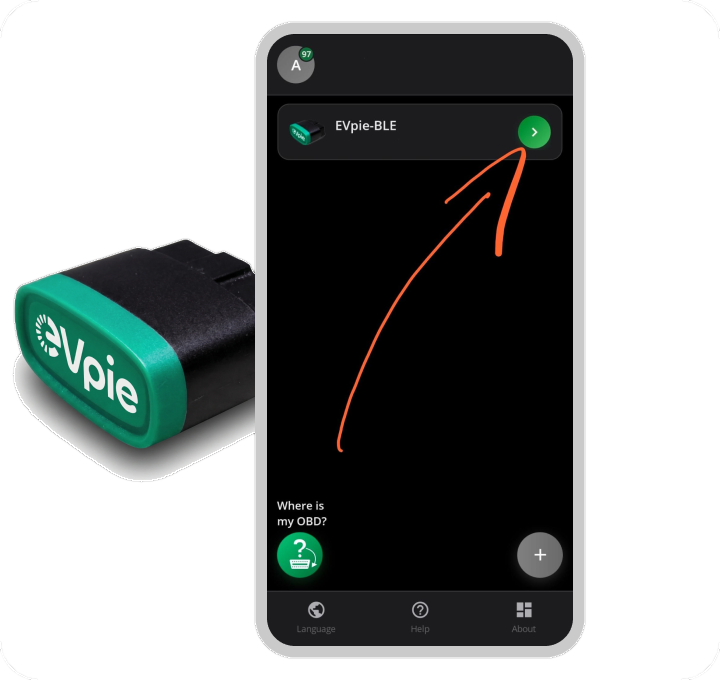
Selecting the adapter for the test
On the main screen, you can see all your paired adapters. An adapter can be renamed by long-pressing it. Start the test by clicking the green arrow next to the adapter name.
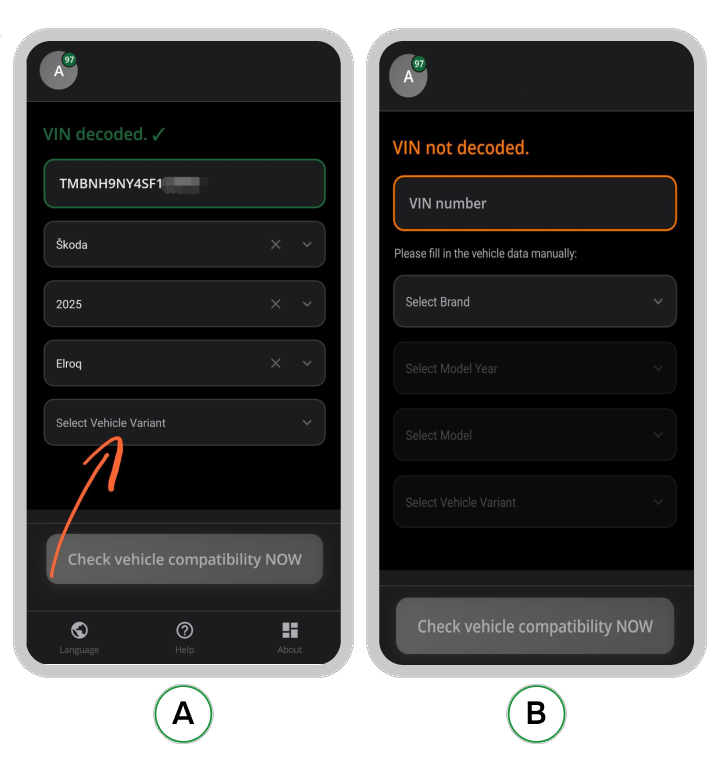
Filling in vehicle data
A. the app recognizes the vehicle VIN:
just select the variant
B. the app does not recognize the vehicle VIN:
it is necessary to fill in all vehicle data
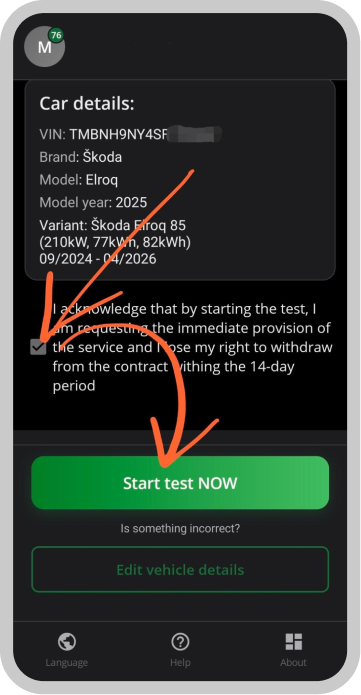
Starting the test
- Check the vehicle data
- In case of discrepancies, edit the data by clicking the "edit vehicle details" button
- Please read and confirm your consent
- press the "Start test NOW" button
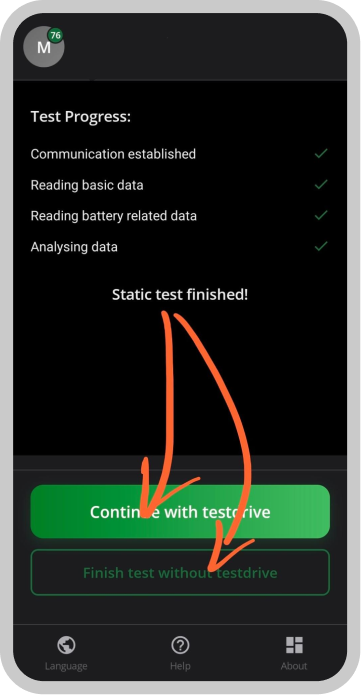
Test drive or finish
Starting measurement with a test drive is not mandatory.
End the test without a test drive if you do not have the opportunity to take the vehicle on the road.
Where to find the test result?
The report is sent immediately to the email provided during registration.
Reports are also available for download in the customer user environment for a period of 1 year.